Talk to Your APIs Like a Pro: No Swagger, No Hassle, Just Chat!
Remember the days when you'd go API-hunting through Swagger docs, lost in a sea of endpoints just to answer a simple business query?
Those days are over.
🚀 The Problem: API Overload Is Real
Let’s say you're a Product Manager who recently launched a festive campaign.
A few days later, you want to know:
👉 "How many new users have registered for the campaign in the past 3 days?"
Now what?
Log into dashboards
Ping-pong Slack messages with devs
Or worse... spelunk through Swagger docs 🤕
All that, for a simple answer.
💡 The Idea: Talk to APIs, Just Like You Talk to People
What if you could simply ask:
🗣️ "How many users joined from the Diwali campaign this week?"
And get:
💬 "145 users registered for the 'Diwali Dhamaka 2025' campaign since July 17."
No dev intervention. No Swagger spelunking. No code snippets. Just. Ask.
🧪 The PoC: Our AI Assistant at Work
To bring this concept to life, we developed a Proof of Concept (PoC) AI assistant for an Employee Management System that:
Understands natural language queries
Parses the complete Swagger specification
Maps user intent to the correct API
Performs real-time API calls
Returns clean, human-readable responses
🔁 Architecture Flow
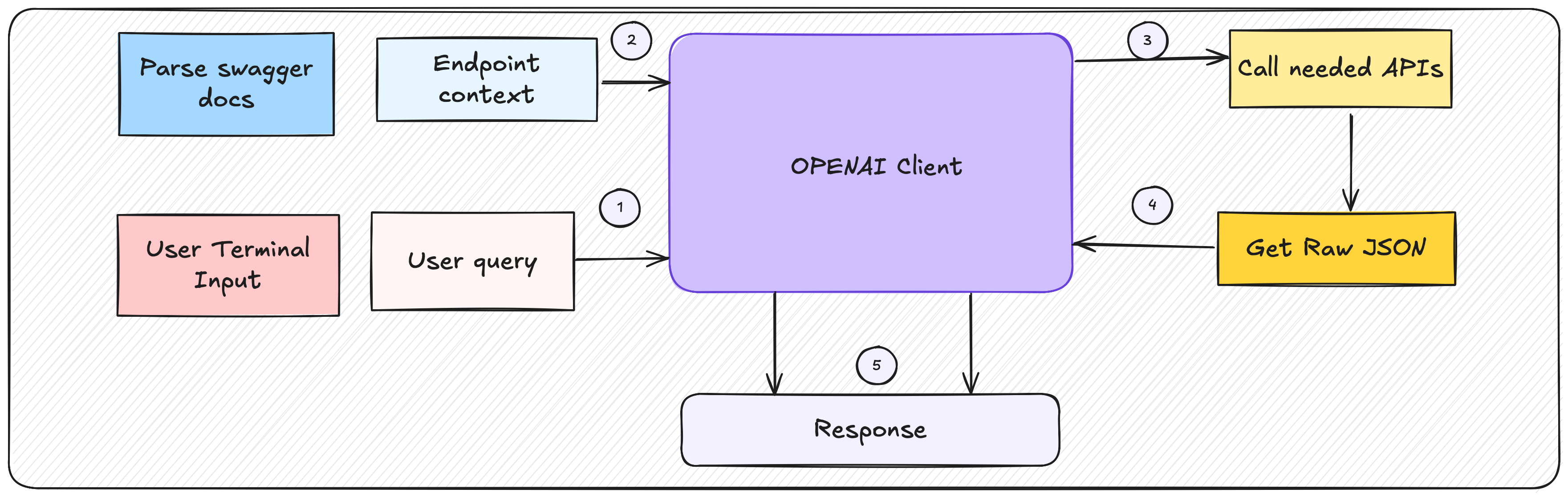
The assistant operates in a multi-step pipeline that integrates NLP, Swagger parsing, and live API querying.
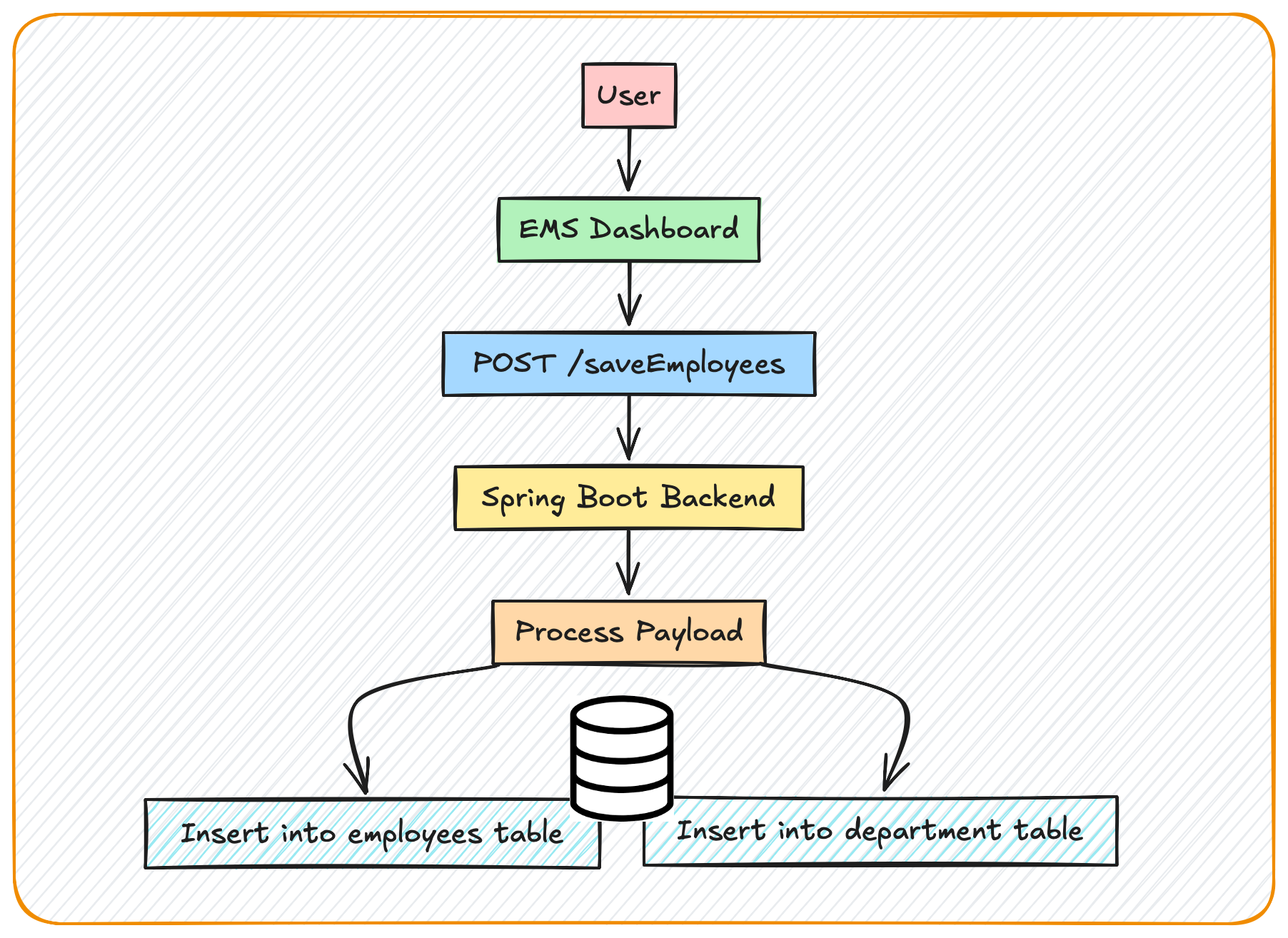
Here is the HLD for dashboard flow
NLP integration and request mapping process:
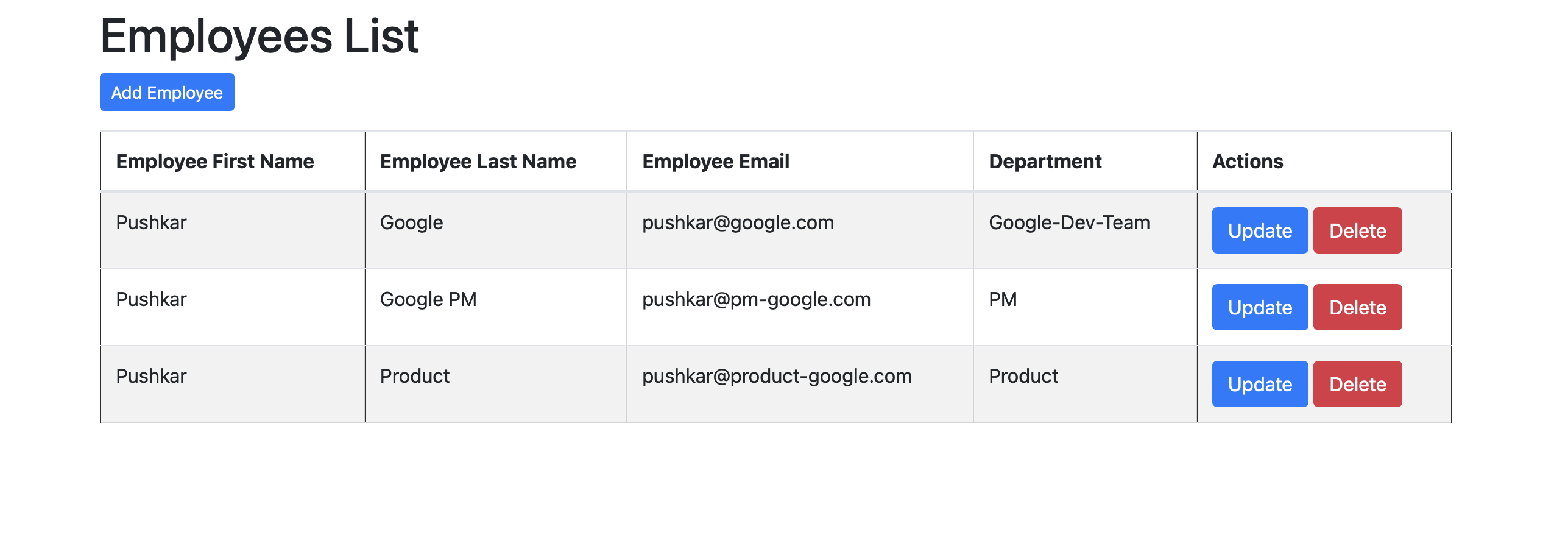
👨💼 Creating an Employee via Dashboard
Here’s a look at how users are created from the Employee Management Dashboard using the frontend UI.
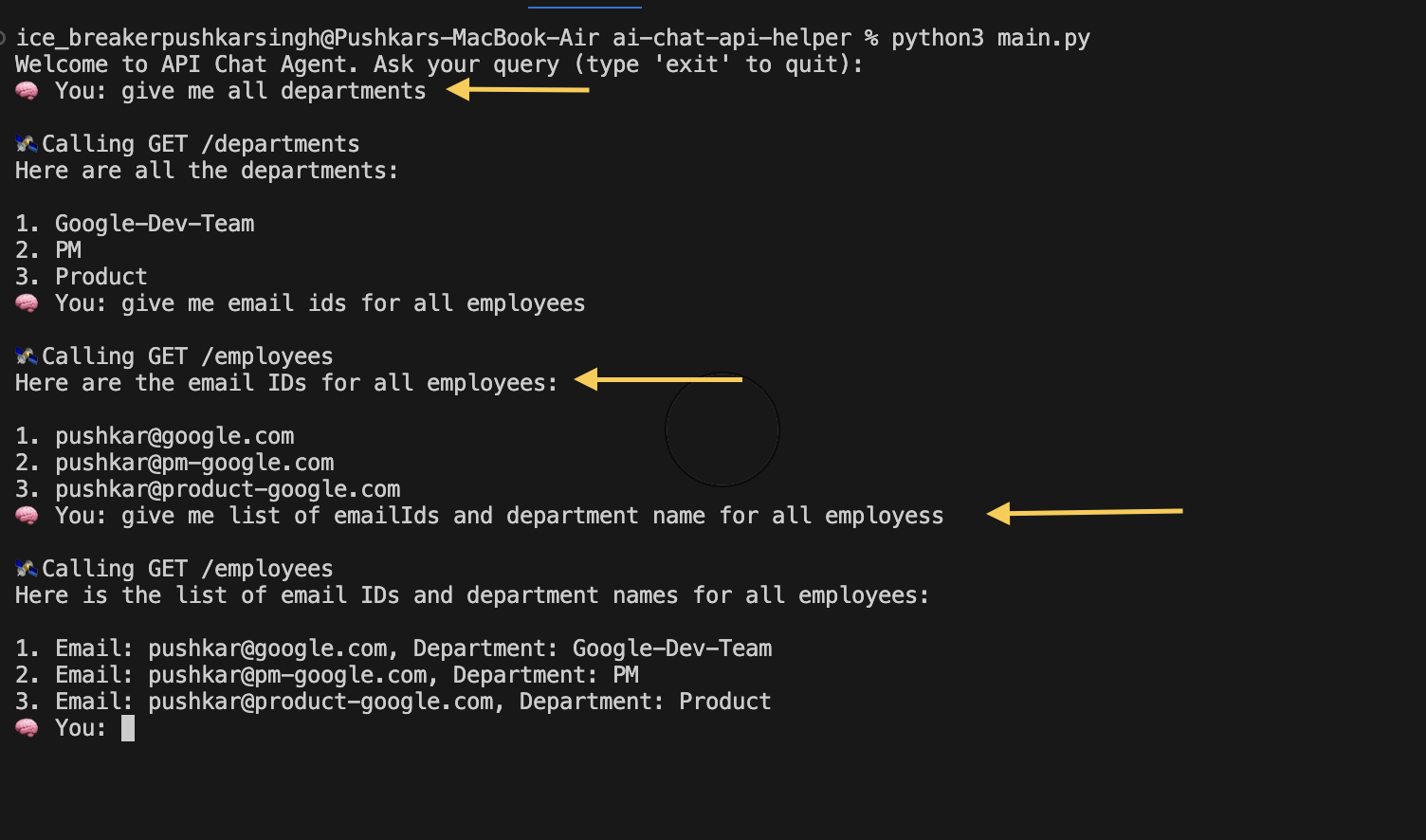
💬 Querying via Terminal (AI Assistant in Action)
The assistant can handle queries like:
"Give me all departments"
"What are the email IDs and Departments for all employees?"
It internally maps these to the respective APIs and executes them live.
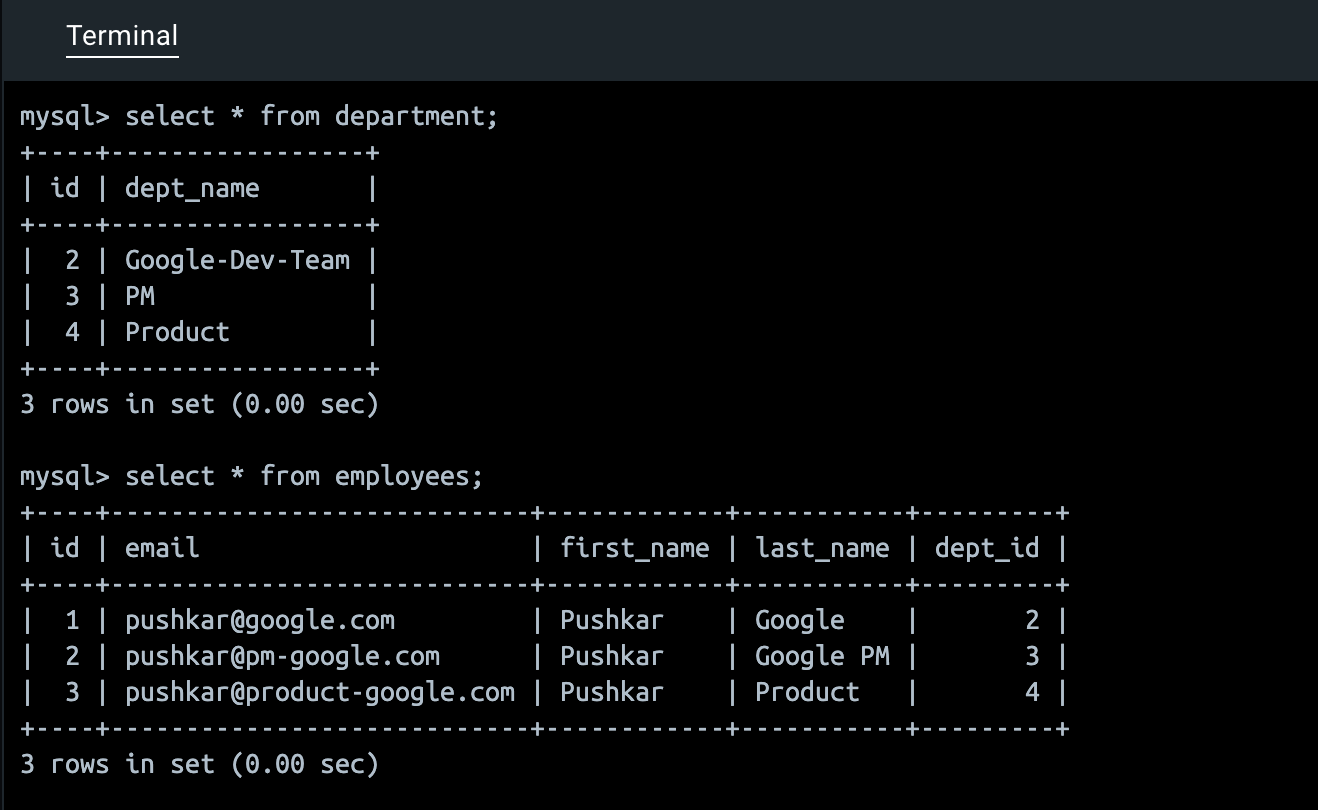
🗂️ Backend Table Structure
The underlying MySQL database is cleanly structured with normalized entities like employee, department and their relationships.
🎬 Demo Video
👉
See how a single chat command leads to a live API call and instant insights—no need to ever open Swagger.
🔗 GitHub Repositories
🏗️ Behind the Scenes: What Makes It Tick?
LLM Prompt Engineering: The input is wrapped with context, model rules, and examples.
Swagger Summarizer: Parses and summarizes all available endpoints using /v3/api-docs.
Endpoint Ranker: Picks the most relevant endpoint using cosine similarity or LLM-based scoring.
Query Generator: Dynamically constructs the REST request.
Response Beautifier: Transforms JSON blobs into natural answers.
📈 Want to Build This for Your Enterprise? Here’s How
You can build a scalable version of this assistant for your own org in just a few steps:
Centralize Swagger Specs: Set up a service to auto-fetch & cache Swagger/OpenAPI definitions across your microservices.
Fine-Tune an LLM: Use real business queries and their corresponding APIs to train a domain-specific model or wrapper.
Secure API Access: Plug into your existing OAuth2/SSO for secure, role-based access to APIs.
Live Query Engine: Create a microservice that formats prompts, selects endpoints, constructs payloads, and executes live calls.
Human-in-the-Loop Auditing: Add moderation, usage limits, or approval flows for sensitive queries.
Slack/MS Teams Integration (optional): Let business users ask directly via their favorite chat tools.
🎯 Real-World Use Cases
Sales: "Show me top 10 customers by revenue this quarter."
Support: "List open critical priority tickets pending over 3 days."
Inventory: "Which SKUs are at risk of going out of stock?"
HR: "How many new employees joined last month?"
🎉 Final Thought: APIs Should Work for You
APIs are powerful—but only if they’re accessible. By combining Swagger, LLMs, and natural conversation, we’re unlocking a future where anyone can talk to systems—not just developers.
📚 Keep Exploring
Here are some curated resources to dive deeper:
Explore more such interesting content with me @https://blog.slayitcoder.in/, Connect